
About Measurement Units
Manage the units of measurement used across your inventory
Not sure what unit to use for your materials, or need to add a custom measurement? Measurement Units let you describe stock amounts in units that make sense for your craft — from grams and millilitres to skeins and fat quarters.
A measurement unit is a standardized quantity used to specify the amount of stock in your inventory. Examples include gram, inch, skein, fat quarter, and bunch. You may add any measurement units relevant to your requirements. Utilizing measurement units from our list of standard units enables automatic conversion calculations for your convenience.
In this article:
- Finding your Measurement Units
- Adding a Measurement Unit
- Editing a Measurement Unit
- Merging Measurement Units
Finding your Measurement Units
To find your quantity types list:
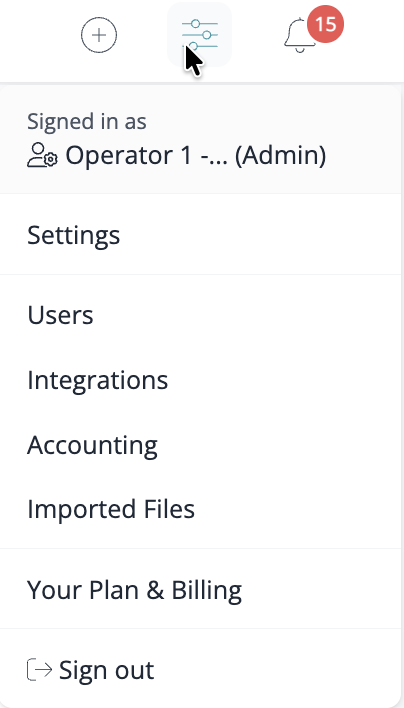
- Hover your mouse over the "slider" icon in the top right-hand menu
-
Select the Settings option from the menu that appears.
-
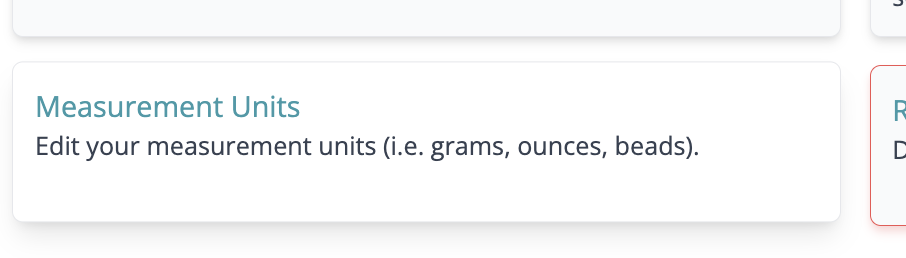
From here, click the Measurement Units option on the page that appears.
Adding a Measurement Unit
To add a new quantity type:
- Go to your Measurement Units page (Locating your Measurement Units page)
-
Click the +Add Measurement Unit button at the top right corner.

- Complete the form details and click Save.
Editing a Measurement Unit
To edit a quantity type:
- Go to your Measurement Units page (Locating your Measurement Units page)
-
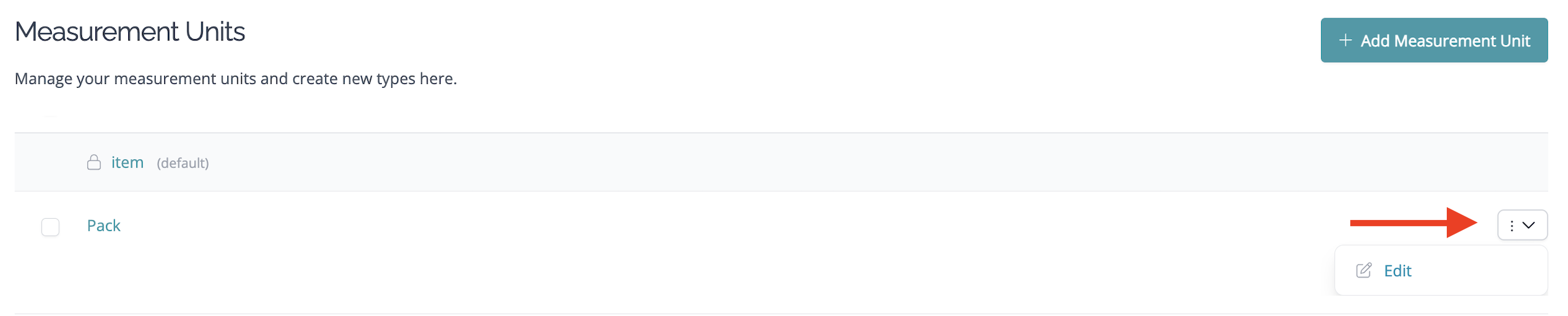
Click the Edit button to the right of the measurement unit you'd like to edit.
-
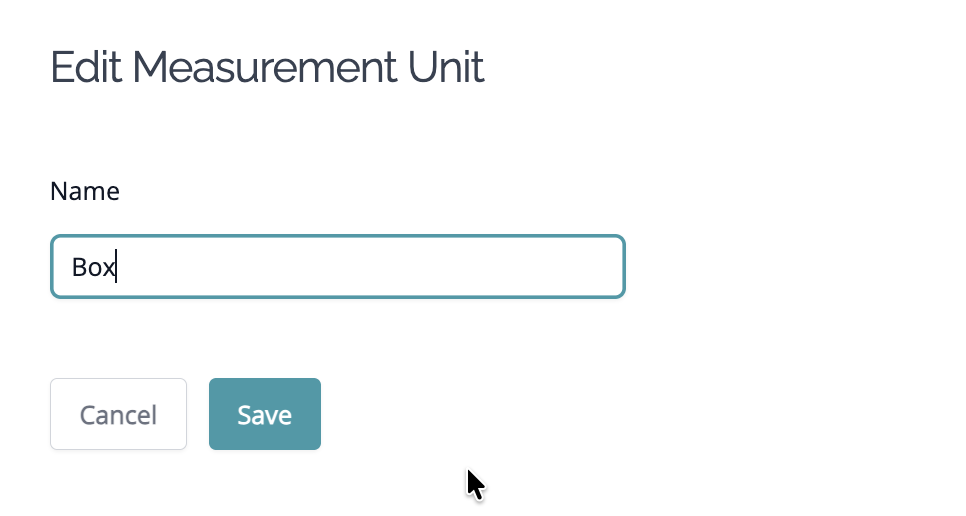
Change the name of the measurement unit and click Save.
Merging Measurement Units
If you have duplicate or similar quantity types, you can merge them into one:
- Go to your Measurement Units page (Locating your Measurement Units page)
- Select the measurement units you'd like to remove using the checkboxes next to each one.
- Select the Merge into… option from the Batch tools menu in the bottom left corner.
- Select the measurement unit you'd like to merge these into (this will be the one you keep).
-
Click Update, and the merge will be performed.

FAQ
How do I delete a Measurement Unit?
You cannot directly delete a Measurement Unit, however you can merge together Measurement Units instead.
Need help?
For more on measurement units and conversions in Craftybase:
Still have questions? Please get in touch, and we'll be happy to help.