
Set up Security Questions
Add an extra layer of account protection with security questions
Worried about someone accessing your account during a password reset? Security questions add a verification step that only you can answer — so your account stays protected.
Once configured, you’ll be asked to answer your security questions before resetting your password or connecting certain integrations.
In this article:
About Security Questions
Security Questions are an additional identity verification step used during password resets and when connecting certain integrations.
Once configured, you’ll be required to correctly answer both of your selected questions before resetting your password.
A few things to note:
- You must choose two different questions from a predefined list of 10 options
- Both answers are required and must be at least 2 characters long
- Answers are not case-sensitive
- Extra spaces at the beginning or end of your answer are ignored
- Answers are securely encrypted and safe
Setting up Security Questions
To enable Security Questions for your account:
- Navigate to your settings page
-
Select Security
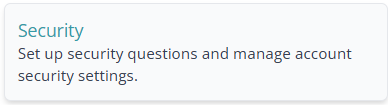
- Select your first question from the dropdown list & enter the answer
- Select your second question from the dropdown list & enter the answer
- Click Save Questions
Once saved, you’ll see a confirmation message and be returned to your Settings overview page.
FAQ
I forgot my security answers
Please contact our support team for assistance with account recovery.
I’m locked out after too many attempts
After 3 incorrect verification attempts, your account will be temporarily locked for 15 minutes. Once the lockout period expires, you can try again.
I verified my answers but my session expired
After successfully answering your Security Questions, you have 15 minutes to complete the password reset. If this window expires, you’ll need to verify again.
Need Help?
Still have questions about setting up Security Questions for your account? Please get in touch, and we'll be happy to help.